Laptop Gaming Setup That Can Pack Away After Work
Setting up a neat and compact laptop gaming station that transitions smoothly between work and play is an art—and science. If you’re someone who uses a multi-use desk for work during dimensionzhub.com the day and gaming in the evening, optimizing your small space for ergonomics and easy cleanup can seriously enhance your comfort and productivity.
Before diving into ideal setups, my first question is always: what do you actually use every day? Skipping hypothetical future gear lets you plan a smart, tailored space that fits your current tech and lifestyle. With that in mind, let’s explore how to create a laptop gaming setup that you can pack away efficiently after work while maintaining ergonomic standards and keeping your gear organized.
Design Around Current Gear, Not Future Shopping Lists
One mistake many people make is buying desks or accessories ideal for a dream setup with multiple monitors, mechanical keyboards, and high-end desktops. But if your daily driver is a laptop, a single external monitor, and a few accessories, your setup should reflect that.
Companies like DimensionzHub.com emphasize tailoring setups around actual daily use. The goal is to minimize clutter and maximize function by focusing on the gear you own right now.
- List all your essential gaming and work devices: laptop, external monitor, keyboard, mouse, headset
- Note which accessories can be stored when not in use
- Avoid committing precious desk space for hardware you rarely use
This mindset frees up your workspace so you don’t need a sprawling desk or large peripherals that just get in the way—more about that next.

Why Desk Depth and Viewing Distance Matter
Desk depth and how you position your monitor relative to your eyes have a significant impact on comfort and eye strain. The Chartered Institute of Ergonomics & Human Factors recommends that the ideal viewing distance for monitors is roughly 20-40 inches (50-100 cm), depending on screen size.
If your desk is too shallow, you’re forced to place your monitor closer than ideal or crowd your keyboard and mouse, resulting in poor posture and discomfort. Conversely, a very deep desk wastes space in a small room.
Desk Depth Recommended Monitor Distance Adjustment Notes 20-24 inches (50-60 cm) Ideally 18-20 inches (45-50 cm) Better for compact stations; consider smaller screen sizes 28-30 inches (70-75 cm) 20-28 inches (50-70 cm) Balance between depth and usable space 30+ inches (75+ cm) 25-40 inches (65-100 cm) Great for dual monitors or larger rigs; may waste small-room spaceIf you’re working with a multi-use desk, 28-30 inches of depth is usually perfect for a laptop and one external display. A monitor arm helps here, letting you push the screen forward or tuck it back depending on whether you’re working or packing up after gaming.
Monitor Arm: A Must-Have for Pack-Away Gaming Stations
The simple addition of a monitor arm frees up desk space and adjusts your viewing distance on the fly. MRQ (mrq.com) offers sturdy, easy-to-install options that clamp to your desk. You get:
- Adjustable height and distance: Perfect eye-level positioning
- Quick swivel and repositioning: Helpful for work mode versus gaming mode
- More desk surface: For your mouse, keyboard, or collectibles
Monitor arms also help protect your neck and shoulders, supporting healthier posture recommended by ergonomic guidelines.
Small-Space Ergonomics and Comfort
With a compact station, every inch counts, but you can’t sacrifice comfort. The Chartered Institute highlights that comfortable seating and proper posture are just as important as the desk setup itself.
Keep these tips in mind:
- Chair clearance and movement space: Ensure at least 24 inches (60 cm) depth clearance for your chair to glide smoothly under the desk without toppling cables or knocking stored items.
- Adjustable seating: Use a chair with good lumbar support and seat height adjustability.
- Keyboard and mouse placement: Keep them at elbow height and within easy reach to avoid strain.
When using a laptop, consider an external keyboard and mouse to maintain proper wrist angles. When packing away, you can tuck these peripherals inside wall-mounted shelves or storage boxes to keep your desk clear.
Wall-Mounted Shelves for Storage and Desktop Clearance
Installing wall-mounted shelves offers a practical way to store laptop accessories such as headphones, cables, controllers, and external drives off your desk.
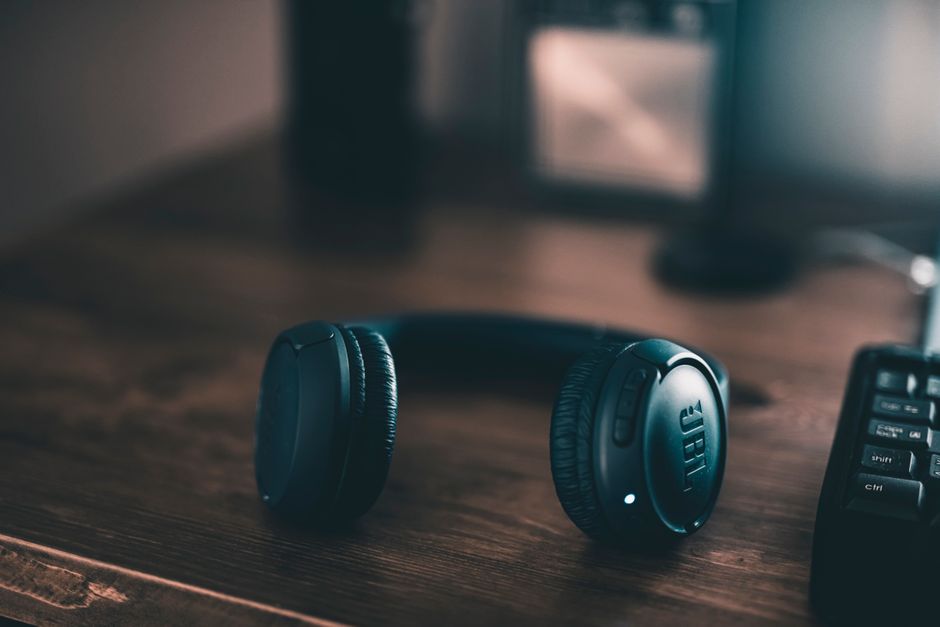
- Keep the desk surface uncluttered for typing and mouse movement
- Easy access to gadgets while gaming or working
- Quick cleanup routine: just place accessories back on shelves and stow the laptop
DimensionzHub.com often recommends these shelves for small spaces because they use vertical storage to avoid sacrificing floor or desk real estate.
Multi-Use Desks: Finding the Right Fit
Pick a desk that supports both work and play by focusing on size and function rather than style alone. Here are key features to consider:
- Depth of 28-30 inches: Enough space for keyboard, mouse, and monitor without wasting room
- Easy cable management: Cable holes, clips, or trays keep wires neat and prevent messes that make small spaces feel cramped
- Lightweight or foldable: If you need to pack away or move your setup often
- Surface material: Matte surfaces reduce glare important for long work or gaming sessions
Prioritize desks that fit your current gear and living space dimensions rather than sprawling models made for future expansions you may never take advantage of.
Summary: How to Organize Your Pack-Away Gaming Setup
Step Action Benefit 1 Inventory your daily gear Design focused, clutter-free setup 2 Choose a desk with proper depth (28-30”) Optimal viewing distance and workspace 3 Install a monitor arm Flexible screen positioning, frees desk space 4 Prioritize chair clearance (24” min) Comfortable movement, avoids cramped feel 5 Use wall-mounted shelves for accessories Keep desktop clear for working and gaming 6 Manage cables actively Prevents mess, improves ergonomics and aestheticsWith these practical steps steeped in ergonomic principles and tested real-world tips from DimensionzHub.com and MRQ, you’ll master a laptop gaming setup that packs away after work, stays comfortable, and makes the most of your available space.
Remember, the best setup is the one that fits your current lifestyle and gear, not an idealized future rig. Focus on simplicity, ergonomics, and smart storage solutions—you’ll thank yourself every day.
Interested in more ergonomic and space-saving gaming and work setups? Check out DimensionzHub.com for detailed guides and user reviews.